Installation of Sharepoint Diagnostic Log Compression (DLC) v1.0

Install via Sharepoint Management Console (PowerShell)

  1. Download Diagnostic Log Compression from http://dlc.codeplex.com and  Copy wsp file to c:\ drive
  2. Adding solution to solution storeAdd-SPSolution -LiteralPath C:\DiagnosticLogCompression.wsp
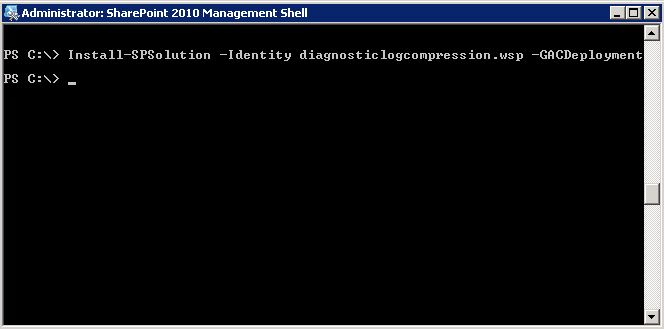
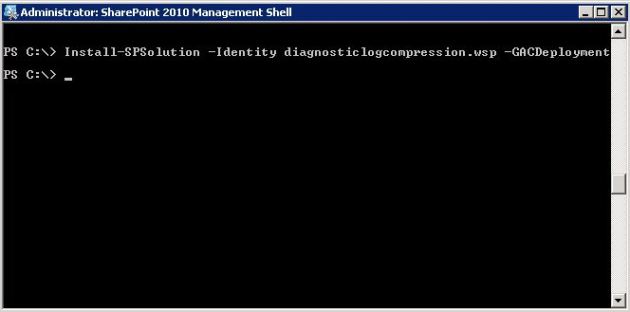
  3. Deploy SolutionInstall-SPSolution -Identity diagnosticlogcompression.wsp –GACDeployment
  4. Enable Feature for Central Administration application

Enable-SPFeature -Identity 0ed55cf5-5322-44bb-b5bf-9126130f7d38 -url <Your Central administration url and port>

  1. Restart Sharepoint Timer Servicenet stop sptimerv4
    net start sptimerv4


Install via stsadm tool

1. Download Diagnostic Log Compression from dlc.codeplex.com and Copy wsp file to c:\

2. Add Solution to solution store

stsadm -o addsolution -filename c:\DiagnosticLogCompression.wsp

3. Deploy solution

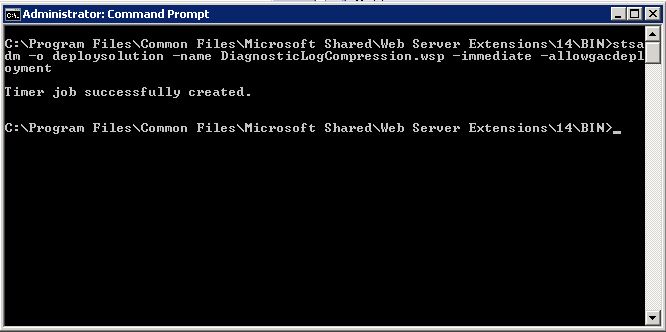
stsadm -o deploysolution -name DiagnosticLogCompression.wsp -immediate –allowgacdeployment
4. Execute Admin Service jobs

stsadm -o execadmsvcjobs

5. Enable Diagnostic Log Compression Feature

stsadm -o activatefeature -id 0ed55cf5-5322-44bb-b5bf-9126130f7d38 -url

6. Restart Sharepoint Timer Service

net stop sptimerv4
net start sptimerv4

  Cheers 🙂

how to delete sharepoint timer job using powershell

When developing custom sharepoint timer jobs sometimes you want to delete junk jobs created by deployment attempts .

Warning !!! DO NOT DELETE ANY TIMER JOB UNLESS BE SURE

Searching listing and find timer job to delete.We need an id.
Get-SPTimerJob | where { $_.name -like “*<your search criteria>*” } |ft id,name

Set job to a variable
$job = Get-SPTimerJob -id <GUID>

And delete it.
$job.Delete()

just it.

All Sharepoint Versions Patches Fixes Service Packs

Hi Guys,

Here is the complete sharepoint product version sheet.

Sharepoint Foundation 2010   Sharepoint Server 2010  
Relase Version KB Relase Version KB
RTM 14.0.4762.1000   RTM 14.0.4762.1000  
Jun 10 CU 14.0.5114.5003   Jun 10 CU 14.0.5114.5003  
Aug 10 Upper CU 14.0.5123.5000 KB2352346 Aug 10 Upper CU 14.0.5123.5000 KB2352342
Oct 10 Upper CU 14.0.5128.5000 KB2394323 Oct 10 Upper CU 14.0.5128.2003 KB2394320
Dec 10 Upper CU 14.0.5130.5002 KB2459125 Dec 10 Upper CU 14.0.5130.5002 KB2459257
Feb 11 Upper CU 14.0.5136.5002 KB2475880 Feb 11 Upper CU 14.0.5136.5002 KB2475878
Apr 11 Upper CU 14.0.5138.5001 KB2512804 Apr 11 Upper CU 14.0.5138.5001 KB2512800
SP1 14.0.6105.5000 KB2460058 SP1 14.0.6105.5000 KB2460045
Jun 11 Upper CU 14.0.6106.5000 KB2536601 Jun 11 Upper CU 14.0.6106.5000 KB2536599
         
WSS v3.0     MOSS 2007  
Relase Version KB Relase Version KB
RTM 12.0.4518.1016 N/A RTM 12.0.4518.1016 N/A
Public DST 12.0.6039.5000 KB934525 Public DST 12.0.6034.5000 KB937832
SP1 12.0.6219.1000 KB936988 SP1 12.0.6219.1000 KB936984
Post SP1 (Jan) 12.0.6300.5000 KB941422 Post SP1 (Jan) 12.0.6300.5000 KB942819
Post SP1 (Jan) 12.0.6300.5000 KB941653 Post SP1 (Jan) 12.0.6301.5000 KB945089
Post SP1 (Feb) 12.0.6303.5000 KB948945 Post SP1 (Jan) 12.0.6301.5000 KB941274
Post SP1 (Feb) 12.0.6303.5000 KB948957 Post SP1 (Feb) 12.0.6303.5000 KB948947
Post SP1 (Feb) 12.0.6304.5000 KB949399 Post SP1 (Feb) 12.0.6304.5000 KB949402
Post SP1 (Mar) 12.0.6305.5000 KB949749 Post SP1 (Mar) 12.0.6306.5000 KB949955
Post SP1 (Mar) 12.0.6306.5000 KB949956 Post SP1 (Mar) 12.0.6307.5000 KB950280
Post SP1 (Mar) 12.0.6307.5000 KB950279 Post SP1 (Mar) 12.0.6307.5000 KB950292
Post SP1 (Mar) 12.0.6308.5000 KB950484 Post SP1 (Mar) 12.0.6308.5000 KB950487
Post SP1 (May) 12.0.6314.5000 KB952288 Post SP1 (May)* 12.0.6314.5000 KB952294
Post SP1 (May) 12.0.6314.5000 KB952292 Post SP1 (May) 12.0.6315.5000 KB952704
Post SP1 (May) 12.0.6315.5000 KB952698 Post SP1 (May) 12.0.6316.5000 KB953138
Post SP1 (May) 12.0.6316.5000 KB953137 Post SP1 (June) 12.0.6317.5000 KB953471
Post SP1 (June) 12.0.6317.5000 KB953473 Infra Update 12.0.6318.5000 # KB951297
Post SP1 (June) 12.0.6317.5000 KB953484 Post SP1 (July) 12.0.6324.5000 KB955593
Infra Update 12.0.6318.5000 # KB951695 Post SP1 (July) 12.0.6324.5000 KB955586
Post SP1 (July) 12.0.6324.5000 KB955594 Excel Securitfix 12.0.6317.5000 KB953397
Post SP1 (AAM) 12.0.6324.5001 KB956248 Aug CU 12.0.6327.5000 KB956056
Aug CU 12.0.6327.5000 KB956057 Oct CU 12.0.6331.5000 KB957693
Aug CU 12.0.6327.5000 KB957109 Oct CU 12.0.6331.5000 KB958569
Oct CU 12.0.6332.5000 KB957691 Dec COD 12.0.6335.5000 KB959637
Dec COD 12.0.6335.5000 KB959644 Dec Uber CU 12.0.6335.5000 KB960011
Dec Upper CU 12.0.6335.5000 KB960010 Dec COD 12.0.6336.5001 KB961176
Dec COD 12.0.6336.5001 KB961175 Dec COD 12.0.6336.5002 KB963022
Feb 09 UpperCU 12.0.6341.5000 KB961755 Feb 09 Upper CU 12.0.6341.5001 KB961756
SP2 12.0.6421.1000 KB953338 SP2 12.0.6421.1000 KB953334
Apr 09 Upper CU 12.0.6504.5000 KB968850 Apr 09 Upper CU 12.0.6504.5002 KB968851
Jun 09 Upper CU 12.0.6510.5001 KB971538 Jun 09 Upper CU 12.0.6510.5003 KB971537
Aug 09 Upper CU 12.0.6514.5004 KB973400 Aug 09 Upper CU 12.0.6514.5002 KB973399
Oct 09 Upper CU 12.0.6520.5000 KB974989 Oct 09 Upper CU 12.0.6520.5000 KB974988
Dec 09 Upper CU 12.0.6524.5000 KB977027 Dec 09 Upper CU 12.0.6524.5001 KB977026
Feb 10 Upper CU 12.0.6529.5000 KB978396 Feb 10 Upper CU 12.0.6529.5000 KB978395
Apr 10 Upper CU 12.0.6535.5002 KB981043 April 10 Upper CU 12.0.6535.5002 KB981042
Jun 10 Upper CU 12.0.6539.5000 KB983311 Jun 10 Upper CU 12.0.6539.5000 KB983310
Aug 10 Upper CU 12.0.6545.5001 KB2276474 Aug 10 Upper CU 12.0.6545.5001 KB2276472
Oct 10 Upper CU 12.0.6548.5000 KB2412268 Oct 10 Upper CU 12.0.6548.5000 KB2412267
Dec 10 Upper CU 12.0.6550.5002 KB2458606 Dec 10 Upper CU 12.0.6550.5000 KB2458605
Feb 11 Upper CU 12.0.6554.5000 KB2475886 Feb 11 Upper CU 12.0.6554.5000 KB2475885
Apr 11 Upper CU 12.0.6557.5001 KB2512783 Apr 11 Upper CU 12.0.6557.5000 KB2512782
June 11 Upper CU 12.0.6562.5001 KB2544399 June 11 Upper CU 12.0.6562.5000 KB2544398
           
 
WSS v2.0   SPS2003  
Relase Version KB Relase Version KB
RTM 11.0.5530.0 N/A RTM 11.0.5704.0 N/A
SP1 11.0.6361.0 KB841876 SP1 11.0.6715.0 KB841883
SP2 11.0.6568.0 KB887624 SP2 11.0.8126.0 KB887623
SP2 Rollup 11.0.8000.0 KB900929 SP2 Rollup 11.0.8126.2 KB898547
Aug DST 11.0.8147.0 KB941412 SP3 11.0.8168.0 KB923644
SP3 11.0.8165.0 KB923643 Post SP3 (Feb) 11.0.8168.3 KB941204
Post SP3 (Jan) 11.0.8205.0 KB941412 Post SP3 (Feb) 11.0.8168.3 KB943167
Post SP3 (Feb) 11.0.8209.0 KB948919  
Post SP3 (Mar) 11.0.8210.0 KB950386  
Post SP3 (May) 11.0.8219.0 KB952903  
Post SP3 (Nov) 11.0.8239.0 KB958706

there are so many arent they 🙂

How to prevent install Sharepoint using Group Policy

Many organizations would like to have the ability to control who can install SharePoint. For instance they might not want end-users to install SharePoint even if they are a local computer administrator. In SharePoint Foundation 2010 this ability to block SharePoint install will be possible via Active Directory group policy.
HKLM\Software\Policies\Microsoft\Shared Tools\Web Server Extensions\14.0\ SharePoint\

To block installation, set DWORD DisableInstall=00000001

Sharepoint 2007 & 2010 Execution Timeout

Sometimes your code needs  time to execute and sharepoint throw an error about Timeout .  here is the solution:

Add this config line to your web.config.

<httpRuntime maxRequestLength=”51200″ executionTimeout=”1200″/>

MSDN say for executionTimeout : Optional Int32 attribute.Specifies the maximum number of seconds that a request is allowed to execute before being automatically shut down by ASP.NET.

This time-out applies only if the debug attribute in the compilation element is False. If the debug attribute is True, to help avoiding application shut-down while you are debugging, do not set this time-out to a large value.

The default is 110 seconds. If you set executionTimeout 1200 means 20 minutes.

Here’s the complete syntax for this tag:

<httpRuntime executionTimeout=”seconds”
maxRequestLength=”kbytes”
minFreeThreads=”numberOfThreads”
minLocalRequestFreeThreads=”numberOfThreads”
appRequestQueueLimit=”numberOfRequests”
useFullyQualifiedRedirectUrl=”true|false”  />

This time-out applies only if the debug attribute in the compilation element is False. when set to “debug=true” mode, the runtime will ignore the timeout setting.

Important note: If you are working with application pages in Layouts folder you should change web.config of this folder not your application folder.

If you want to use this attribute for one page your config should be like this

<location path=”MyPages/TestPage.aspx”>
<system.web>
<httpRuntime
executionTimeout=”1200″
maxRequestLength=”51200″ />
</system.web>
</location>

Happy tips..